Reference

Art-Net channel sheet

Patch Chronos Studio on your console as a fixture named Chronos Studio: one mode, 20 channels from the start address. Then turn on console control in Settings › Art-Net: it is off by default.

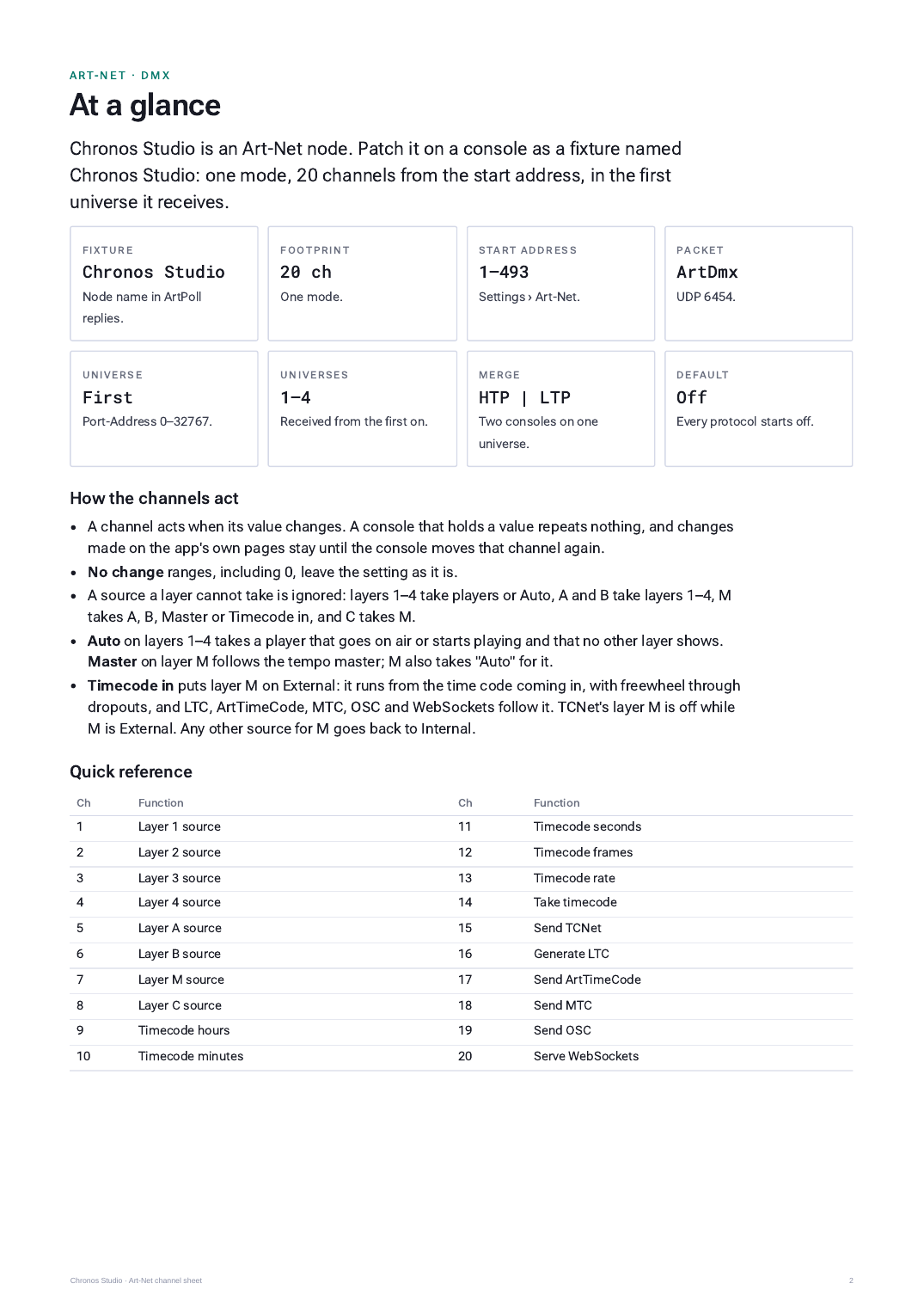
At a glance
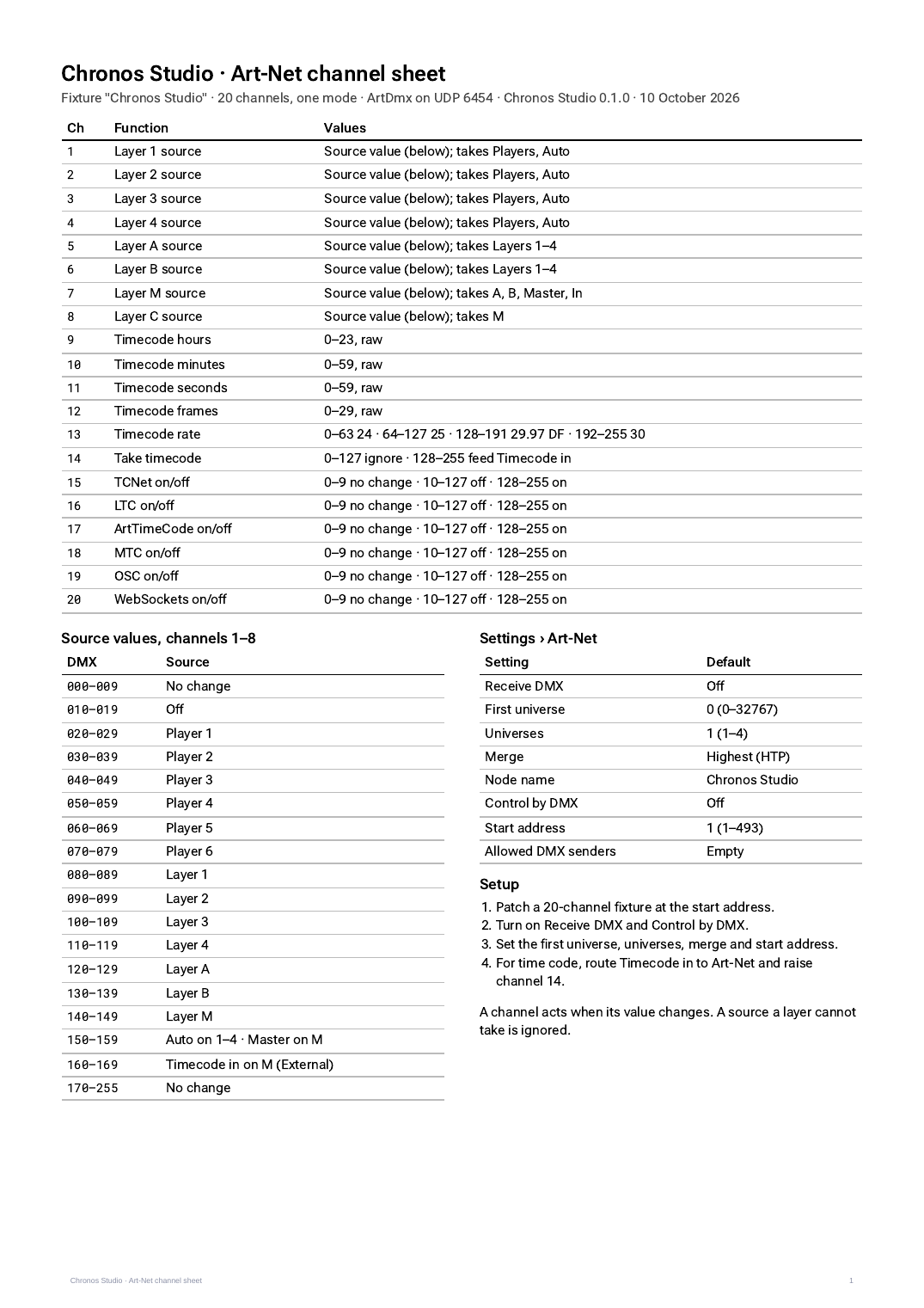
Art-Net channel sheet on one page: the 20 channels, the layer source values, timecode in and the output switches

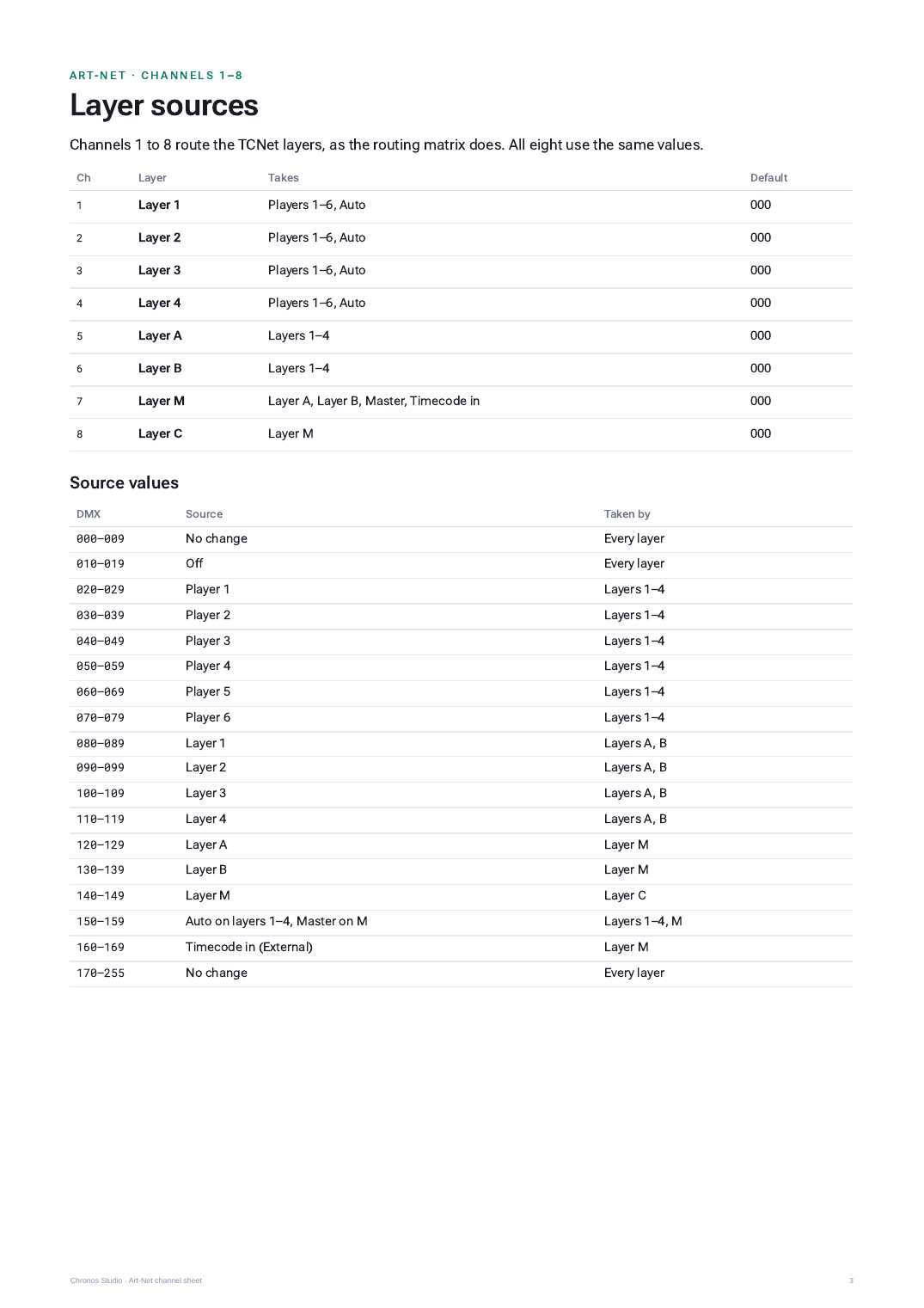
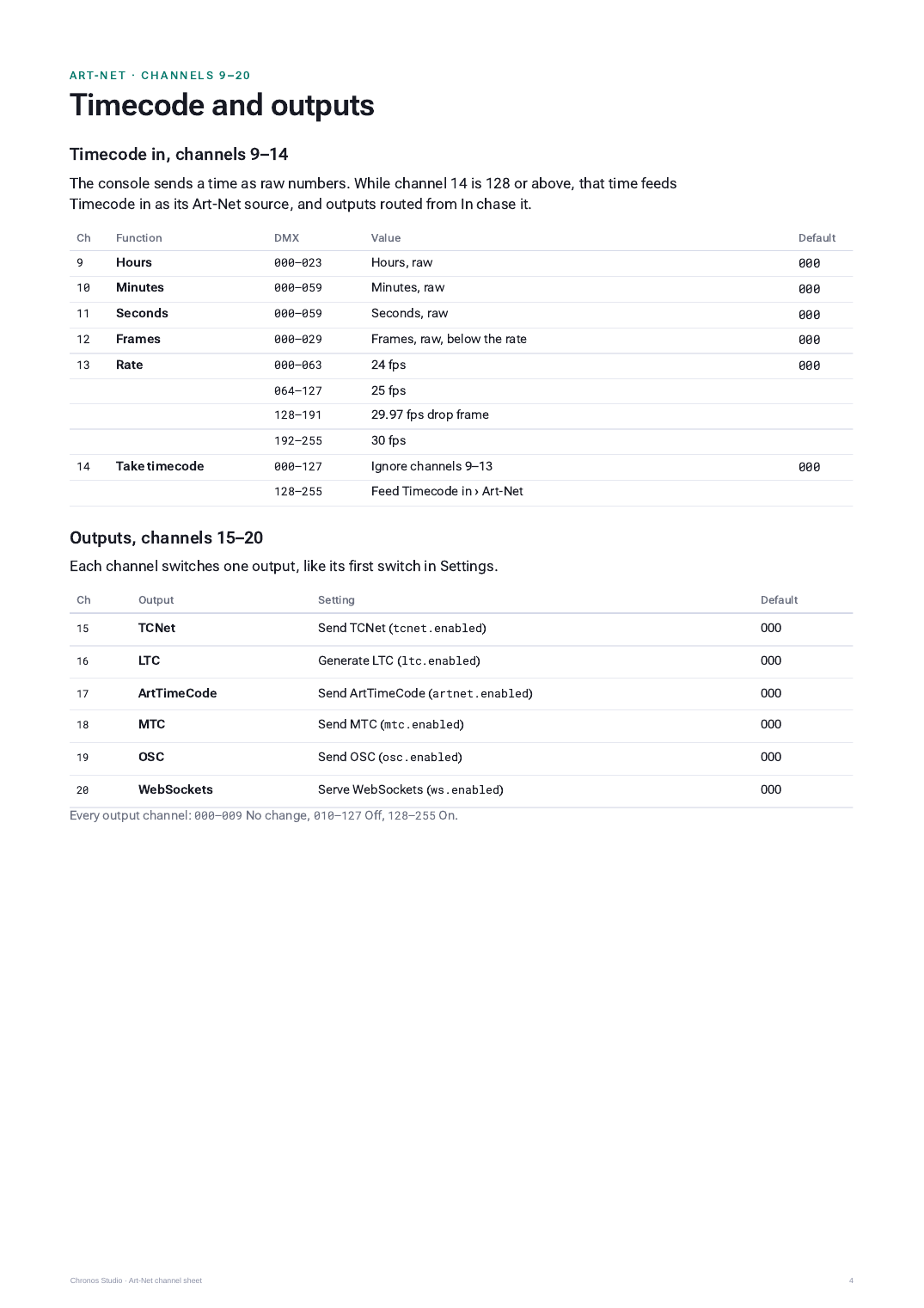
The channels

At a glance: Chronos Studio as an Art-Net node, its fixture and the defaults

Channels 1 to 8: the source of layers 1, 2, 3, 4, A, B, M and C, by value range

Channels 9 to 20: timecode in as hours, minutes, seconds and frames, its rate and take, then the TCNet, LTC, ArtTimeCode, MTC, OSC and WebSockets output switches

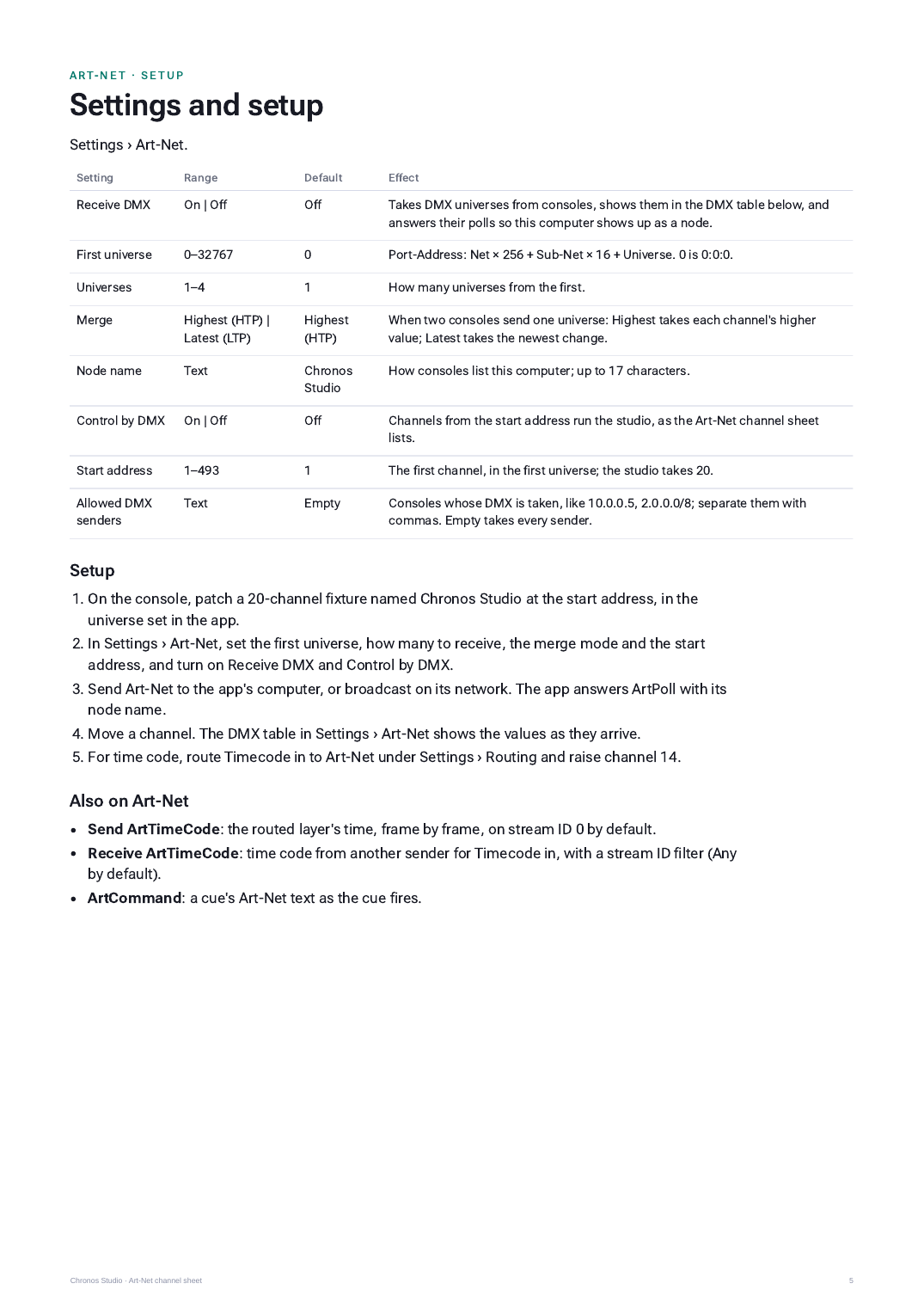
Setup

Settings and setup: the Art-Net settings with their defaults, and the steps to patch and test